
LinkWithin related posts with thumbnails
A few months ago I added a widget called LinkWithin to the bottom of my blog posts to encourage my readers to explore related articles on my site. The results have been fantastic. With the addition of a very simple snippet of code available from here, I was able to increase my pageviews by 8% which translates to an additional 120,000 page hits a year.
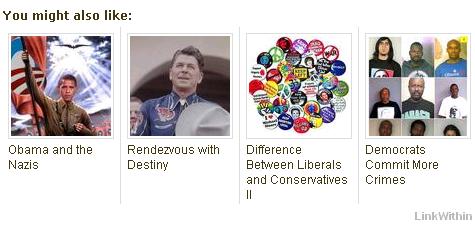
One can select from 3 to 5 thumbnails (I selected 4) to be displayed at the end of a blog article. LinkWithin scans your archives and indexes them so that the thumbnails are related by certain keywords to the article.
Interestingly each time a reader revisits the same article he or she will see a different set than before. That is, the thumbnails are always different, assuming you have enough related archived articles. Try refreshing this page to see the thumbnails change. The thumbnails are approximately 100 x 100 pixels tall and wide so I could only fit 4 thumbnails.
Here is a sample of a typical display at the bottom of my article If Only Democrats Loved America Like Pilsen Czechs (but your results may vary):
It was one of the simplest widgets I have ever installed and works exactly as described.
The widget isn't as useful if you rarely post photos with your stories since the widget shows text links when most of the recommended posts do not have an image. 99.9% of my articles contain one or more images, drawings, cartoons, maps, or photos.

